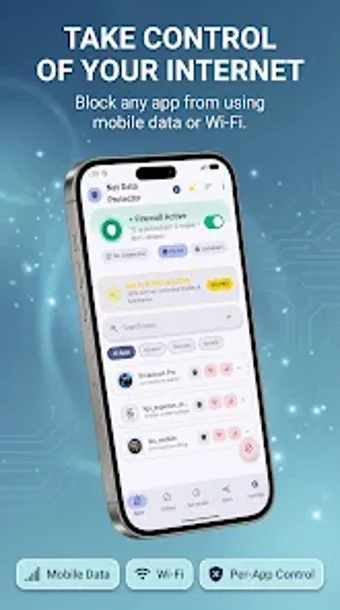
Per-app network control and ad blocking for Android devices
Manage app network access per connection type: per-app Mobile Data and Wi-Fi controls, background ad blocking, and timed rule application. Net Data Protector: Ad Blocker, from Media Optics Tech, combines a personal firewall with an on-device ad filter and biometric protection. The app shows real-time data usage, offers custom protection profiles for Travel, Work, and Battery Saving, and targets Android users who need precise control over which apps may use mobile data or Wi‑Fi.
How the app enforces per-app network policies
Net Data Protector applies separate allow/deny rules for Mobile Data and Wi‑Fi on a per-application basis, which lets you prevent specific apps from connecting in the background. The app also supports temporary network grants for individual apps, so you can open an app briefly without changing its saved policy. This model operates as a personal firewall rather than a global VPN, and it runs on-device to keep traffic filtering local.
Does it affect system performance during monitoring and blocking?
The app reports real-time data usage and a savings dashboard while enforcing rules; because filtering and enforcement happen locally, the developer positions it to limit background transfers without constant cloud round-trips. Automation schedules run at set times to apply rules, reducing the need for manual toggles. Device CPU and battery impact depend on background activity levels, but the app’s design aims to cut unnecessary network use by blocking ad and telemetry traffic.
Is the configuration safe and suitable for non-technical users?
The configuration can be secured with biometric authentication, protecting firewall settings from casual changes. Prebuilt protection profiles for Travel, Work, and Battery Saving provide ready-made rule sets, and alerts for per-app data budgets guide action when limits approach. Temporary access grants simplify short exceptions. Users who prefer explicit control over apps and who can read simple allow/deny choices get the most practical value from the app’s workflows.
Clear control for data-conscious users, with device compatibility to check
The app is a solid option for Android users who want tight control over which apps use mobile data and Wi‑Fi, adding biometric protection and scheduled rules as operational safeguards. Expect direct interaction with per-app allow/deny settings rather than fully automatic decisions. Check device compatibility before relying on it for mission-critical networking tasks, since specific Android version requirements vary by device.